Wednesday, October 23, 2013

6 Useful iPad Apps for Creating Tutorials and Screen Casts

Yesterday Anna came home very excited at having been asked by her teacher to produce a Khan Academy like tutorial on multiplying decimals for her classmates using Educreations. She gave me a very enthusiastic tour of the app and proceeded to spend the next hour or so practicing with the tool to create a variety of "mock" tutorials comparing the iPhone to a Windows phone, how to do basic addition with illustrated flowers as the "prop" etc.

I was impressed and inspired to find out more about "screencast" tools and did a bit of web research to find out what else was available. The best, most concise article I found (in my extensive 20 minute research) was in a website called Educational Technology and Mobile Learning. I don't want to forget these resources (I'd like to start using screencasts in my work) so I decided to "bookmark" them here in a blog post. Here's the link http://www.educatorstechnology.com/2013/05/6-useful-ipad-apps-for-creating.html  and below is the article
-----------------------------------------------------------------------
By definition, a screencast is a recording of your computer screen accompanied by audio narration.In the past, screencasting tools used to cost a fortune and only tech savvy people were able to use them but thanks to web 2.0 technologies, there are now dozens of easy to use and simple platforms to record your screencast. Educational Technology and Mobile Learning has already featured several of these tools in previous posts. Today, however, I am going to share with you some of the best iPad apps to create screencasts and tutorials. Check them out below and let us know what you think of them. Enjoy


Explain Everything is an easy-to-use design, screencasting, and interactive whiteboard tool that lets you annotate, animate, narrate, import, and export almost anything to and from almost anywhere.

2- Teach

Knowmia Teach is a new free lesson planning and recording tool for teachers. It helps you create short video lessons on any subject and publish them on Knowmia.com so your students and the public can find them. Knowmia Teach makes it easy to bring in visual aids from multiple sources, organize them in steps (like slides in a presentation) and use your own voice and fingers to bring your lesson to life.

3- Show Me

ShowMe allows you to record voice-over whiteboard tutorials and share them online. It’s an amazingly simple app that anyone can use, no matter how young or old!


Educreations turns your iPad into a recordable whiteboard. Creating a great video tutorial is as simple as touching, tapping and talking. Explain a math formula... Create an animated lesson... Add commentary to your photos... Diagram a sports play..


Doodlecast Pro is the easiest way to create presentations on your iPad. The app records your voice as you draw to create quick presentations. Doodlecast Pro saves videos to the camera roll making it easy to import them into popular video editors or presentation tools such as iMovie, Keynote, or iBooks Author. Perfect for teachers, students, business people and anyone needing an elegant way to share ideas.


Pixntell adds your voice to your pictures and creates a personalized video you can share on Dropbox, Facebook, YouTube, FocusTrain or email.

Friday, June 21, 2013

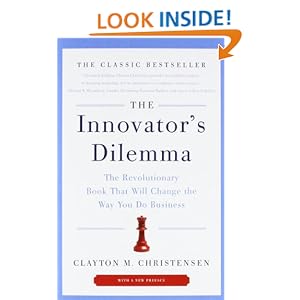
The Innovators Dilemma

Listened to this on Audible books commuting to Menlo Park for a Social Media for Nonprofits #SM4NP Conference. Good foundation, classic text on disruptive innovation and business.

Basic premise is not really that new and is pretty straight forward . . . "We cannot solve our problems with the same thinking we used when we created them." Einstein

In other words, the very business practices that make a company a success and enable it to grow are the ones that limit its ability to develop and sustain a new disruptive technology. Therefore, if a company is interested in maintaining its current scale and success as well as engage in developing new disruptive technologies it will need to to do so by acquiring or spinning out a small, flexible, independent, organization who's sole purpose is to focus on the disruptive technology and who's small scale matches the small scale of the new markets that will be "early adopters" of the new disruptive technology.

The three elements of a business: Values --> Processes --> Resources are very different in large, successful, established organizations that focus on incremental change vs. small, entrepreneurial organizations that focus on disruptive change.


Citizenville, Gavin Newsom

... How to Take the Town Square Digital and Reinvent Government.

Just barely started this one so no comment yet. Going to see Newsom speak at Dominican University on March 7th. More on this later.


6-21-13 While I don't always agree with Newsom, I found the book quite provocative in its indictment of our current governmental systems as bastions of Luddite driven bureaucracy, certainly not capable of engaging 21st century Gen X citizens. Citizens (and government officials) need better access to information. Government 2.0 is about improving constructive and well informed public engagement through enhanced digital access to information that is...

  • Searchable & Indexed (not in static pdf docs!!!)
  • Accessible via any device or platform through open source systems (Device Agnostic)
  • Share-able - not limited by onerous copyright restrictions (an alternative would be to use Creative Commons licencing agreements); not locked down with restrictions that  impede re-use of the information - should be "remixable" or "mashable" via opensource API's (Application Programming Language); connected to public feedback systems (blog comments and other social media tools)
  • Free - the government should not charge for access or licence sole rights to the information to a third party distributor that can charge for access.
A few additional resources in this arena:

Open Government Data Videos

Tuesday, May 21, 2013

Too busy to be ...


When our hyper-linked, multitasking minds become as fragmented and compartmentalized as our computers we will become as soulless as they are. The future may be less about increasing AI toward a state of self-directed consciousness and more about decreasing our humanity into a state of hollow, self-absorbed, utilitarianism. Are we already on the path toward making ourselves unconscious slaves to a world of conscious machines?